Submissions
Your field crew reports straight to the office
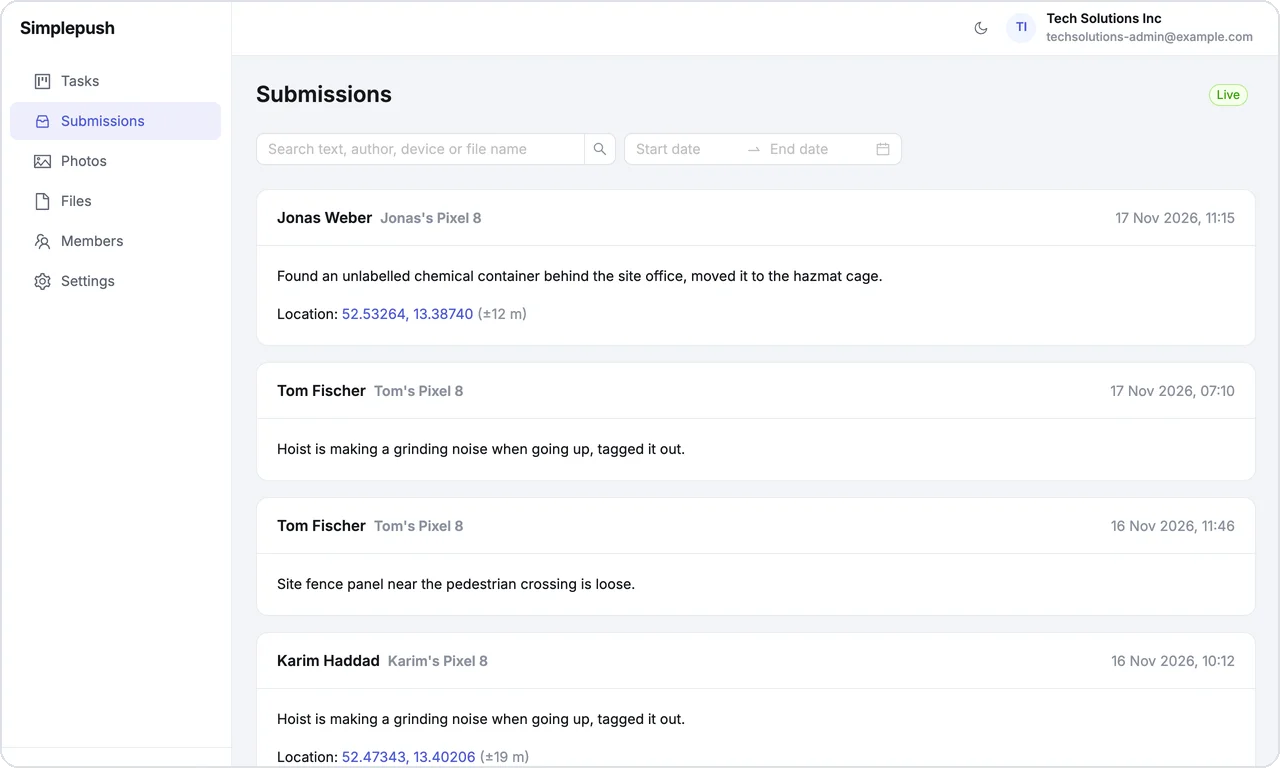
Your crew sends photos, voice notes, text, files and their location from the field. The office sees it right away in the dashboard, and AI agents can act on it.


Let an AI agent read every report, so you catch problems before they eat into your margin
Connect your AI agent through the Simplepush MCP connector and it reads every report your crew sends. Set up AI workflows that run on incoming reports, on a schedule you choose: sort them by site, flag what needs a decision and send the follow-up task to the right person.
How to connect your AI agentEvery report in one live feed
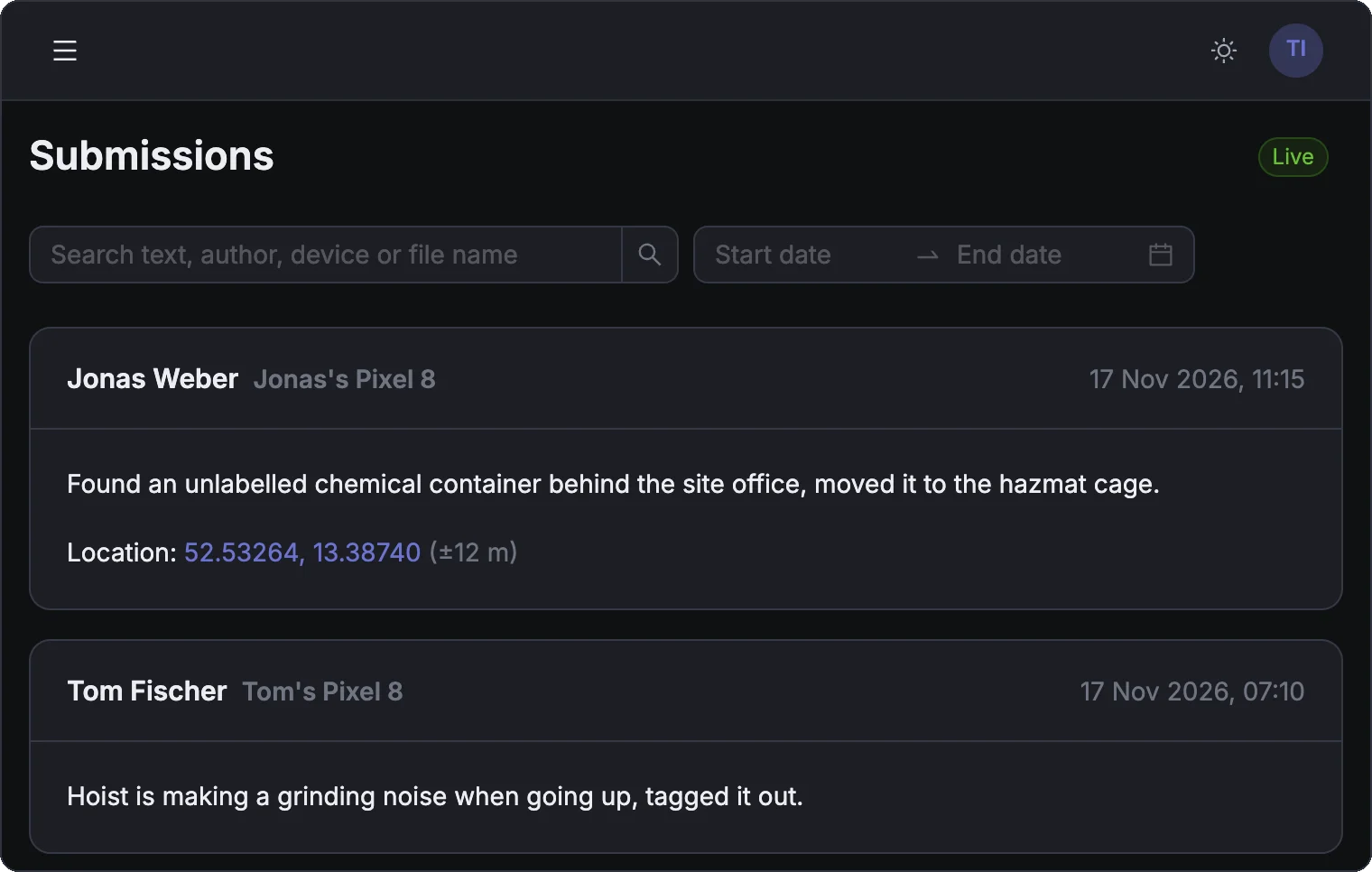
Reports appear in the dashboard seconds after they are sent. Search by text, author, device or file name, filter by date, and browse every photo and file on its own page.
Report in seconds, even without signal
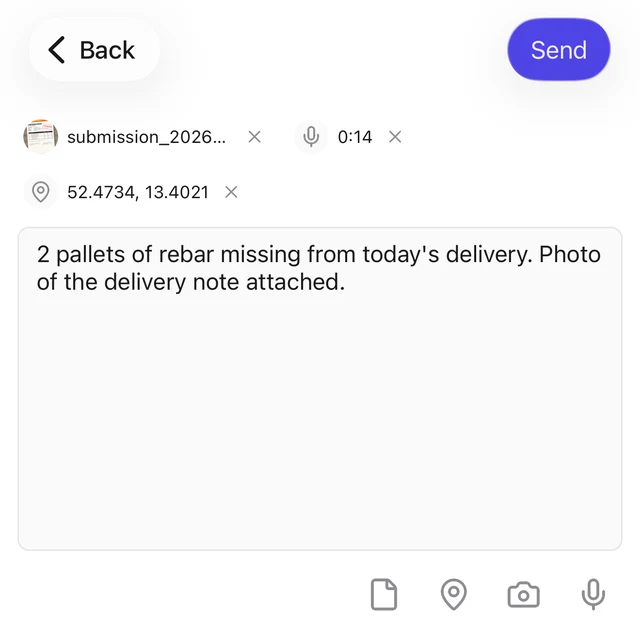
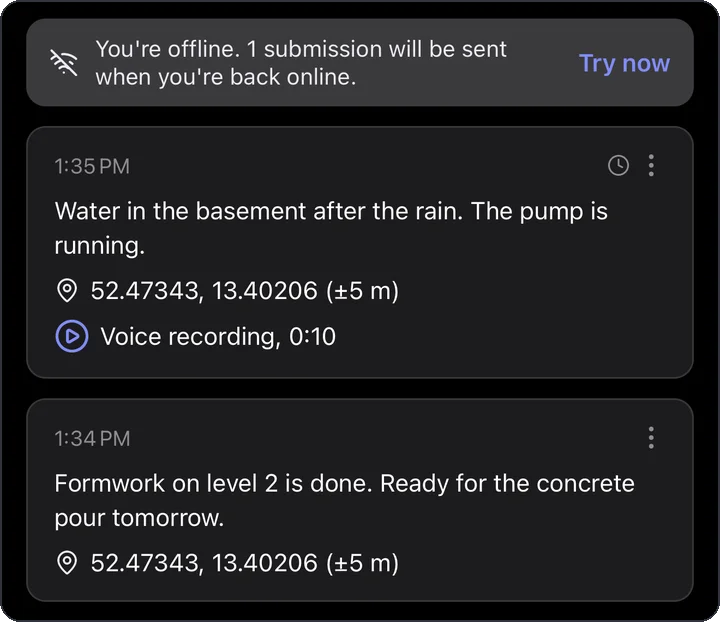
Open the app, type or record a voice note, take a photo, attach a file or add the location, and send. In a basement or on a remote site, the report waits on the phone and sends itself once the signal is back.
Find any report, even months later
Every report stays searchable in your system of record, for your team and for AI agents. Ask what anyone said about the pump at Hill Street and get the reports back, with photos and voice notes.
How it works
Your crew sends a report
Text, photos, voice notes, files and the location, from the app in a few seconds.
The office sees it right away
The report lands in the dashboard feed with who sent it, when and where.
Your AI agent acts on it
Your AI workflows read the reports, flag what matters and send the follow-up.
What crews report
Damage on site
A photo and a voice note the moment something breaks, so repairs start the same day.
Delivery problems
Missing or damaged material reported on the spot, with a photo of the delivery note.
Safety hazards
An open trench or an expired scaffold tag, reported with the exact location.
End-of-day report
What got done today and what is blocking tomorrow, in one voice note.
Handover documents
The signed contract or acceptance form, sent as a file straight from the site.
Hours and materials
Hours worked and material used, reported daily instead of collected at month end.
See it with your own crew
Book a 30-minute demo and we walk you through Simplepush with your own sites in mind.