System of Record
Everything your crew sends, kept and easy to find
Every answer, photo, file and report is saved with who sent it, when and where. Your team searches it in the dashboard, and AI agents can search it too.


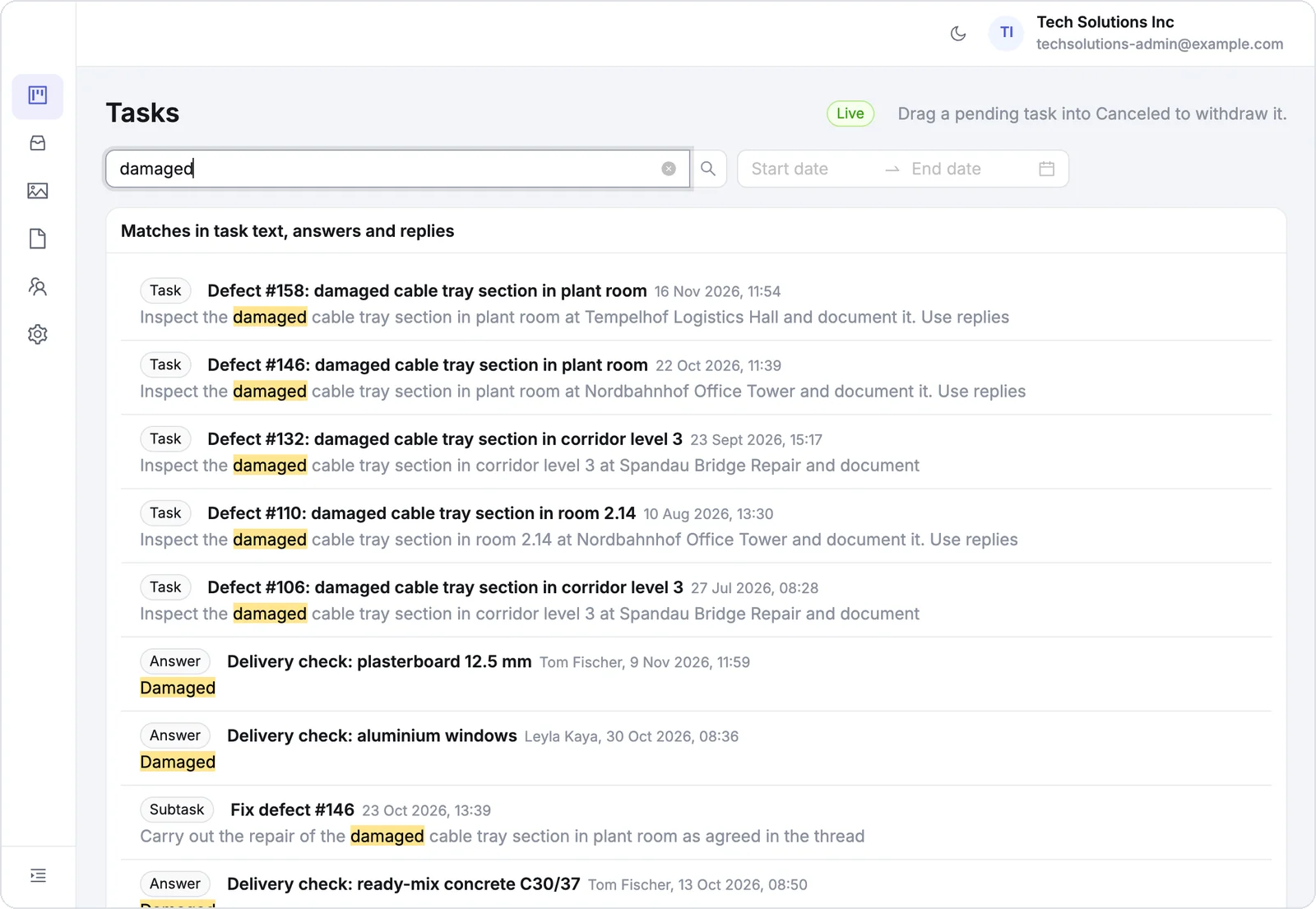
Ask an AI agent what happened on site
Connect your AI agent through the Simplepush MCP connector and it searches everything your crew ever sent, by words or by place. Ask in plain language and get the answer together with the original report.
How to connect your AI agentSearch everything in the dashboard
Search task text, answers and replies on the task board, and every report on the Submissions page. Filter photos and files by site, person or date.
About the Dashboard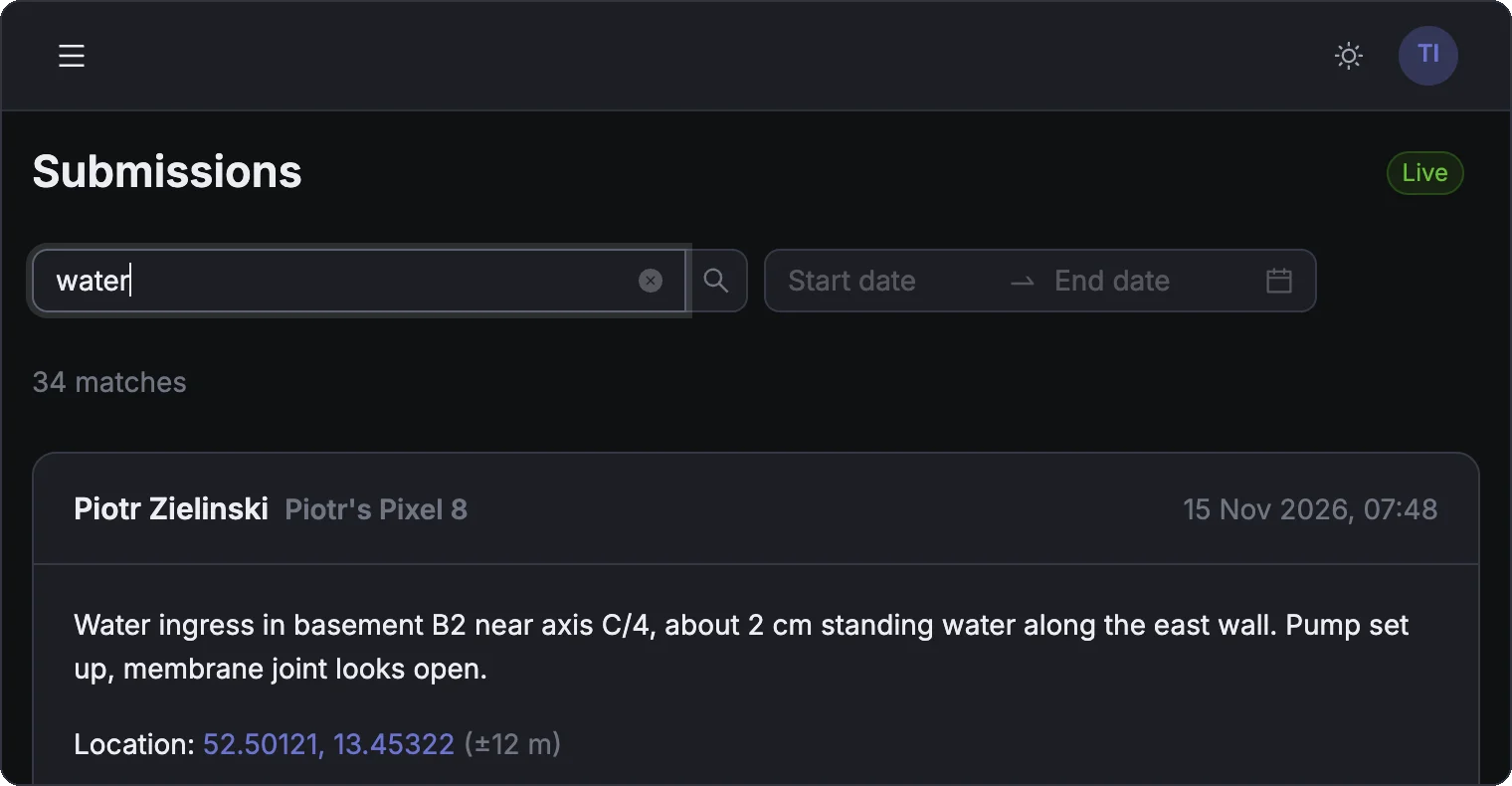
Who, when and where on every record
Every answer and report is saved with the person who sent it, the time, the phone it came from and, if they shared it, the location. It stays in your records even after someone leaves your team.
Your data goes wherever you need it
Read your records through the open API, the SDKs for TypeScript and Python or the command line tool. Replay past answers and reports, or stream new ones into your ERP, a spreadsheet or your own database.
Read the documentation# every answer and report from the last 7 days,
# then keep streaming new ones
sp events --since 7d --followHow it works
Your crew answers and reports
Task answers, replies, photos, files and reports come in from the app.
Every record is kept
Each one is saved with who sent it, when, from which phone and where.
Find it when you need it
Search in the dashboard, or ask an AI agent in plain language.
What teams look up
See it with your own crew
Book a 30-minute demo and we walk you through Simplepush with your own sites in mind.